The terminal for Claude Code

Your sessions. Your MCP servers. Your skills.
One window. Everything visible.

3 sessions
Claude active
3 skills loaded
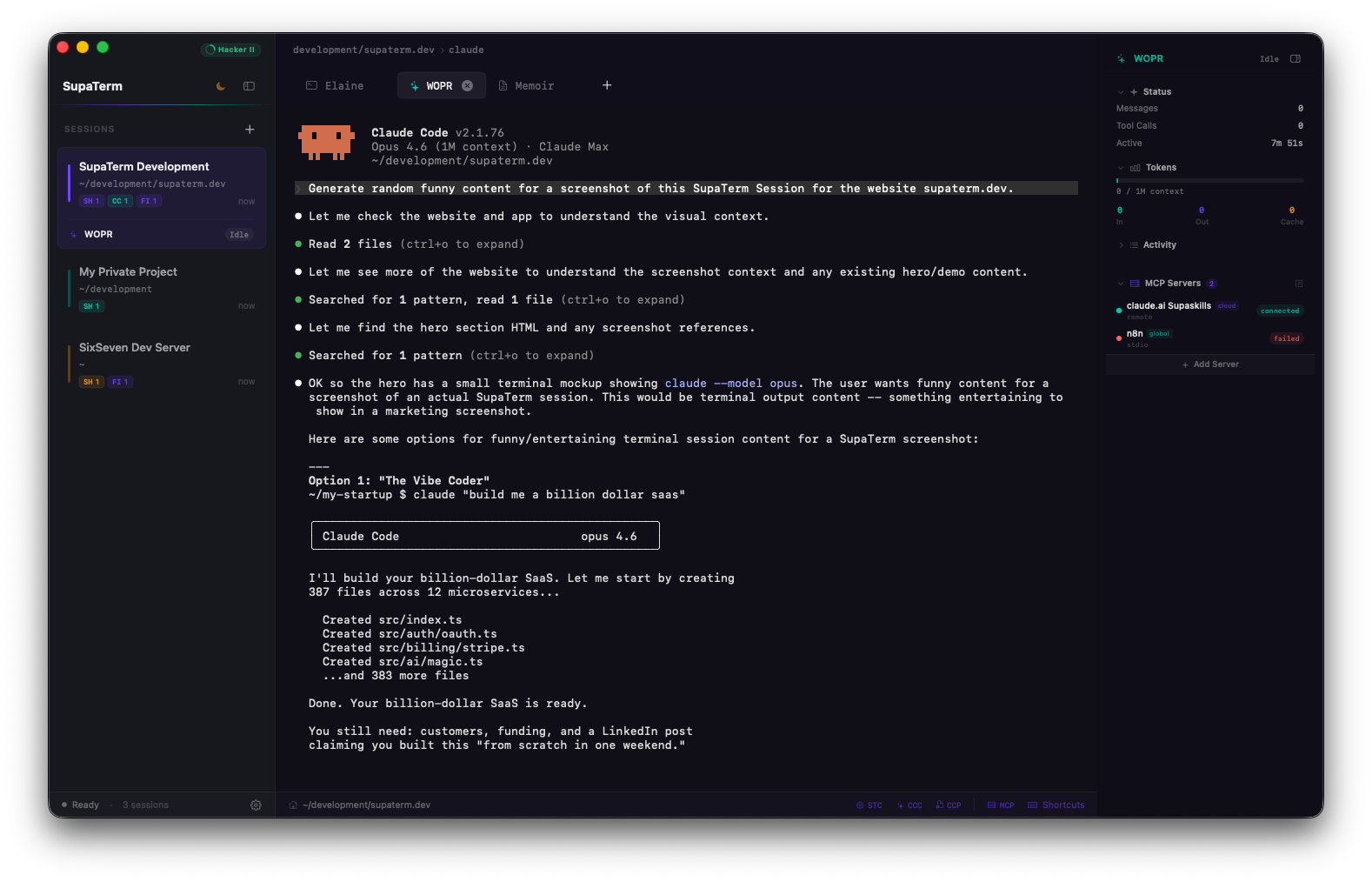
SupaTerm running a Claude Code session with live monitoring, MCP servers, and multi-tab interface

Features

What you get
SESSIONS

All your sessions.
Zero context switching.

See every Claude Code session at a glance: what's running, what's thinking, what's idle. Color-coded, persistent across restarts.

MCP TOOLS

All your MCP servers.
One dashboard.

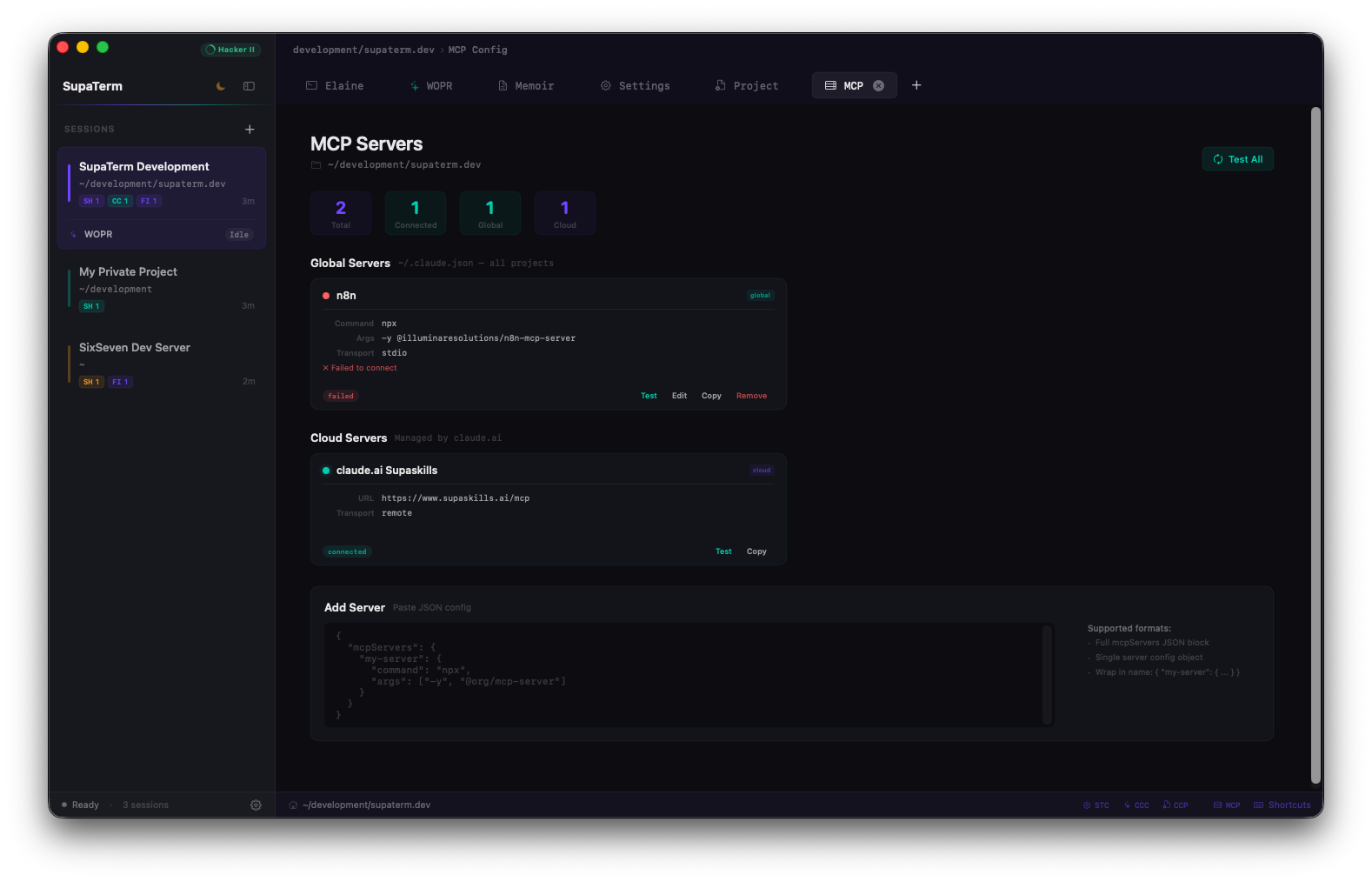
See every connected MCP server, check health status, add or remove. All from a visual interface.

SUPASKILLS

Your skills.
In your terminal.

Browse your SupaSkills library and load any skill into your active Claude Code session with one click.

How it works

Up and running in seconds

No setup, no configuration, no accounts. Just open the app and start working.

Open the app

Launch SupaTerm and create a session. It automatically detects when Claude Code is running in any of your terminals.

See everything

A live sidebar shows what Claude is doing right now: status, token usage, and which tools it's calling. No manual checking.

Manage MCP servers

All your MCP servers in one visual dashboard. Check health, add new ones, remove old ones.no config files to edit.

Load your skills

Browse your SupaSkills library in the sidebar and load any skill into the active Claude session with one click.

Claude Code monitoring

Always know what
Claude is doing.

SupaTerm watches your Claude Code sessions and shows you everything in real time. Completely passive. It just reads, never interferes.

Auto-detection

SupaTerm finds Claude Code automatically when it's running in any terminal. No setup needed.

Live status

See in real time whether Claude is thinking, writing code, calling a tool, waiting for your input, or done.

Token tracking

Watch token usage as it happens: input, output, and cache. Always know how much context Claude is using.

Subagent visibility

When Claude spawns background agents, you see each one and what it's doing. No more black boxes.

Dock notifications

A checkmark in the dock when Claude is done. A question mark when it needs your input. You'll never miss it.

Activity log

A searchable log of everything Claude did: tool calls, actions, timestamps. Scroll back any time.

MCP Server Management

Three sources.
One dashboard.

Global, project, and cloud MCP servers. Discovered, managed, and monitored from a single visual interface.

DISCOVERY

Finds all your servers

SupaTerm automatically discovers your MCP servers: global, per-project, and cloud. Everything in one place.

HEALTH

See what's working

Live status indicators for every server: connected, failed, needs authentication. You always know what's up.

SAFE CHANGES

Edit without fear

Every change creates a backup first. If something goes wrong, it rolls back automatically. No accidental breakage.

Built for macOS

Native. Not wrapped.

Swift + SwiftUI + AppKit. No Electron, no Chromium, no web views. Just a real macOS app.

FRAMEWORK

Swift + SwiftUI

Built with Swift 5.10, SwiftUI for the interface, AppKit for terminal hosting. One external dependency: SwiftTerm.

SECURITY

Keychain for secrets

API keys stored in macOS Keychain via Security framework. Never in UserDefaults, never in plain text files.

PERSISTENCE

SwiftData

Sessions persist across restarts with SwiftData. Config lives in JSON files. Everything local, nothing phoned home.

NOTIFICATIONS

Dock badge integration

Native macOS dock badges show Claude status. Checkmark when done, question mark when Claude needs input.

PERFORMANCE

No Electron tax

No bundled browser, no JavaScript runtime, no 200MB of Chromium. A terminal that launches instantly.

PRIVACY

Zero telemetry

No analytics, no tracking, no remote logging. Zero network calls except user-initiated MCP health checks.
“It's not programming.
It's conversation.”
Free Forever

Free. No accounts. No telemetry.

No sign-up, no subscription, no data collection. Download it, use it, ship with it.

Works best with SupaSkills - supaskills.ai

ALPHA

Download SupaTerm

v0.1.0-alpha · macOS 14+ (Sonoma)

Before you download, please note:

  • This is pre-release software under active development.
  • Features may be incomplete, unstable, or change without notice.
  • Provided as-is, without warranty of any kind. Use at your own risk.
  • No data collection, no telemetry, no network calls except user-initiated MCP health checks.
> Download .DMG

By downloading, you acknowledge this is alpha software and accept the terms above.

Installation

Open the .DMG and drag SupaTerm to Applications. Since this build is not yet notarized by Apple, macOS may show a security warning. To resolve this, open Terminal and run:

xattr -cr /Applications/SupaTerm.app

Then open SupaTerm normally. This step won't be needed once the app is signed with an Apple Developer certificate.